
.png)
A knowledge base content strategy is the process of planning, structuring, and optimizing content so users can quickly find answers and solve problems without needing support.
Without a clear strategy, knowledge bases become cluttered, outdated, and difficult to navigate. This leads to poor user experience, increased support tickets, and wasted internal resources.
A well-structured knowledge base content strategy helps you:
- Reduce customer support workload
- Improve self-service success rates
- Organize knowledge into a scalable system
- Create content that users can actually find and use
This guide explains how to create a knowledge base, what content to include, and how to build a strategy that improves both user experience and operational efficiency.
What Is Knowledge Base Content?
Knowledge base content includes all the articles, guides, and resources that help users understand your product, solve problems, and complete tasks.
It is a core part of any knowledge management content strategy and serves both:
- Customers → to find answers independently
- Employees → to access internal processes and documentation
Effective knowledge base content is:
- Clear and easy to follow
- Structured around real user questions
- Searchable and well-organized
- Continuously updated
Without structured content, even the best knowledge base software will fail to deliver value.
Types of Content to Include in a Knowledge Base
A strong knowledge base content strategy includes multiple content types to address different use cases, learning styles, and levels of complexity.
1. Text-Based Content (Core Foundation)
Text content forms the backbone of any knowledge base and is usually the primary format users interact with.
Key formats include:
-
How-to guides: Step-by-step instructions that help users complete specific tasks.
Example: “How to Reset Your Password” - FAQs: Short, direct answers to commonly asked questions based on real support queries.
- Troubleshooting articles: Help users diagnose and fix problems without contacting support.
- SOPs (Standard Operating Procedures): Internal documentation that ensures consistency in processes and workflows.
For best results, each article should focus on one clear intent instead of covering multiple topics. This improves both readability and search visibility.
2. Visual Content (Improves Understanding)
Visual content enhances comprehension, especially when explaining complex workflows or technical steps.
Examples include:
- screenshots with annotations
- instructional videos
- diagrams and infographics
For example, instead of explaining navigation steps in text, a screenshot with highlights can reduce confusion instantly.
Visual content is especially effective for:
- onboarding tutorials
- product walkthroughs
- UI-based instructions
3. Interactive Content (Boosts Engagement)
Interactive content allows users to actively engage with information rather than passively consume it.
Examples:
- guided walkthroughs
- interactive tutorials
- decision trees
This type of content is highly effective for:
- complex products
- onboarding flows
- multi-step processes
It improves retention and helps users reach solutions faster.
How to Create a Knowledge Base Content Strategy (Step-by-Step)
Creating a knowledge base requires more than writing articles. It involves planning, structuring, and continuously improving content.
Step 1: Define the Purpose of Your Knowledge Base
Start by identifying what your knowledge base is meant to achieve.
Ask:
- Is it for customers, employees, or both?
- Is the goal to reduce support tickets or improve onboarding?
Your purpose determines:
- tone and complexity
- content structure
- article types
Step 2: Understand Your Audience
Your content must match real user needs.
To do this:
- analyze support tickets
- review chat logs and FAQs
- gather user feedback
- study analytics data
This helps you identify:
- common problems
- knowledge gaps
- search intent
Step 3: Plan Your Content Structure
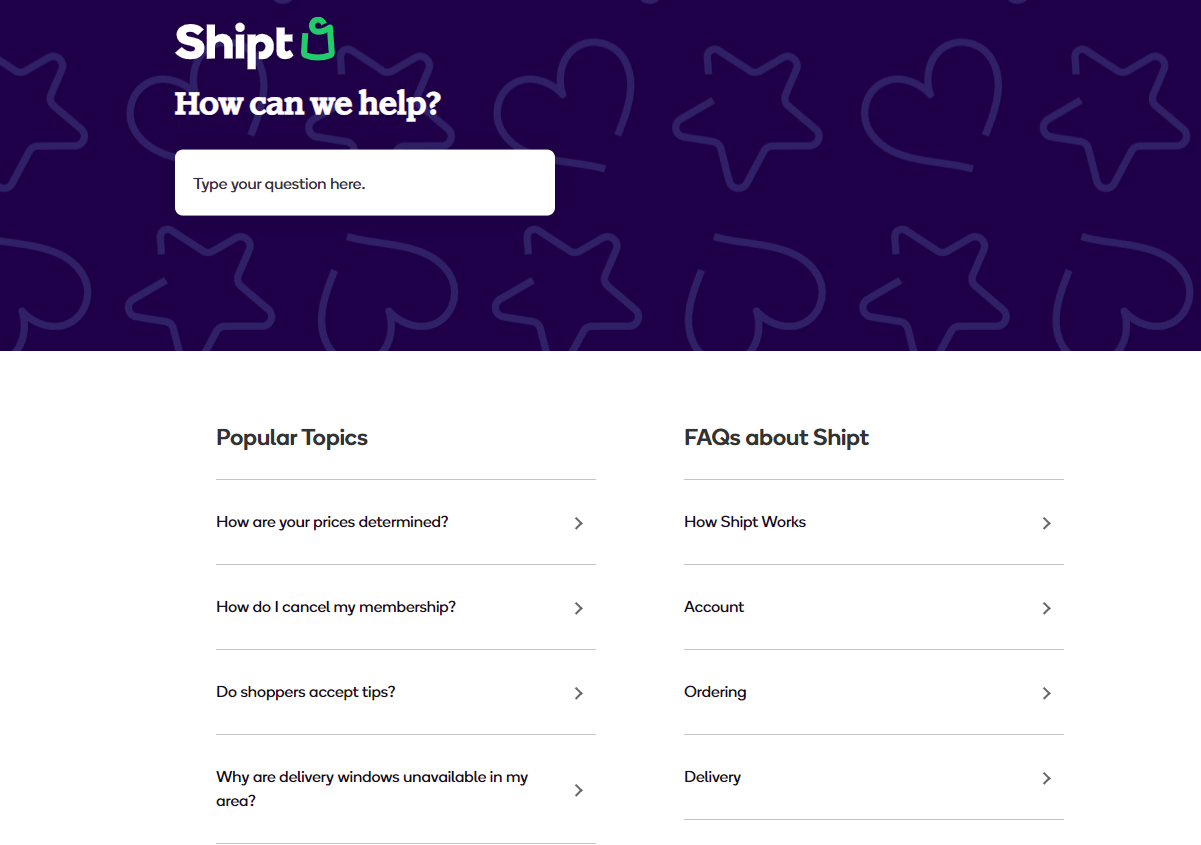
Structure determines whether users can find information easily.
Best practices:
- group content into categories and subcategories
- use clear naming conventions
- create logical navigation paths
Example structure:
- Getting Started
- Troubleshooting
- Advanced Features
A well-structured knowledge base improves usability and SEO.
Step 4: Create Clear, Actionable Content
Every article should solve a specific problem.
Follow these rules:
- use simple language
- write step-by-step instructions
- avoid unnecessary jargon
- keep paragraphs short
Each article should answer:
- What is the problem?
- How do I solve it?
Step 5: Optimize for Search and Discoverability
Users should be able to find content instantly.
Optimize by:
- using relevant keywords naturally
- adding descriptive titles
- implementing strong search functionality
- linking related articles
This improves both internal search and Google rankings.
Step 6: Add Visual and Interactive Elements
Enhance content with:
- screenshots
- videos
- diagrams
This reduces confusion and improves engagement.
Step 7: Measure and Improve Content Performance
Track how your content performs.
Key metrics:
- Article views
- Search success rate
- User feedback (helpful vs not helpful)
- Bounce rate
Use this data to:
- Update outdated articles
- Create missing content
- Improve weak sections
Best Practices for Knowledge Base Content Strategy
To build a scalable and effective knowledge base, follow these principles:
- focus on solving real user problems
- keep content simple and easy to scan
- maintain consistent structure and formatting
- update content regularly
- link related articles for better navigation
- prioritize clarity over completeness
High-quality content is not about writing more, but about making information easier to understand and use.
Common Mistakes to Avoid
Many knowledge bases fail due to avoidable mistakes.
Avoid:
- writing content without user research
- using complex or technical language
- poor categorization and structure
- outdated or inaccurate information
- lack of performance tracking
These issues reduce usability and make the knowledge base ineffective.
How Knowledge Base Software Supports Your Content Strategy
A content strategy requires the right tools to manage and scale effectively.
Knowledge base software helps by:
- centralizing all documentation
- improving search functionality
- enabling team collaboration
- tracking performance metrics
- simplifying updates and version control
This ensures your knowledge base remains organized, accessible, and up to date.



.png)
