
.svg)
A self-service knowledge base is an online resource where customers can find answers to their questions without contacting support. It typically includes FAQs, guides, tutorials, and troubleshooting articles that help users solve problems on their own.
Today, most customers prefer to find answers instantly rather than wait for support. This shift in behavior makes self-service knowledge bases essential for modern businesses.
A well-built self-service knowledge base helps you:
Reduce support tickets and operational costs
Provide 24/7 customer support
Improve customer satisfaction
Empower users to solve problems independently
In this guide, you’ll learn how to create a self-service knowledge base step by step, along with best practices to ensure it is effective, easy to use, and optimized for your customers.
What Is a Self-Service Knowledge Base?
A self-service knowledge base is a centralized collection of help content that allows customers to find answers without needing assistance from support agents.
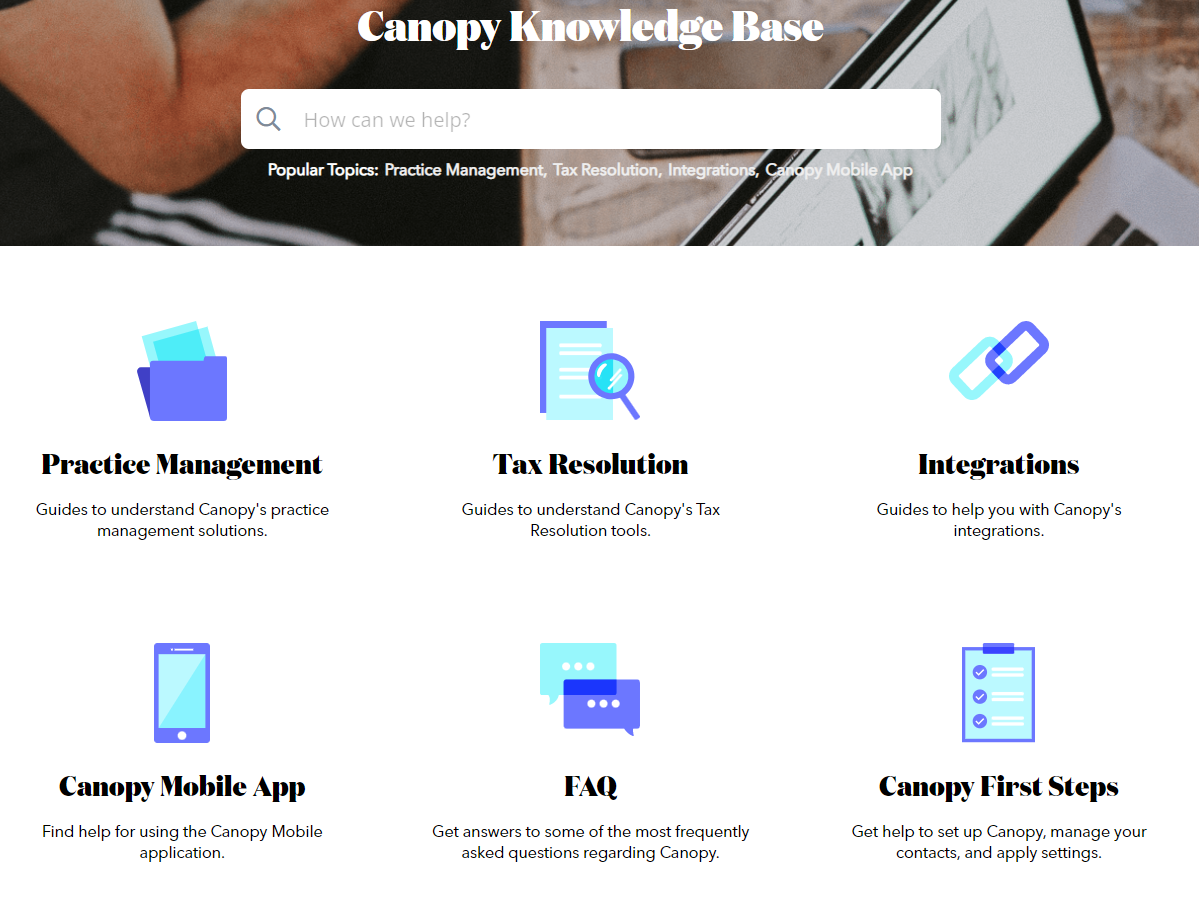
It acts as a digital help center that includes:
FAQs
how-to guides
troubleshooting articles
product documentation
Most self-service knowledge bases include a search function that helps users quickly locate relevant information.
When structured properly, a knowledge base becomes the first place customers go for help.
Benefits of a Self-Service Knowledge Base
Implementing a self-service knowledge base provides several advantages for both businesses and customers.
- Improved Customer Satisfaction: Customers can find answers instantly without waiting for support responses.
- Reduced Support Costs: Self-service reduces the number of support tickets, lowering operational costs.
- 24/7 Availability: Customers can access after-hours customer support or help anytime, even outside business hours.
- More Efficient Support Teams: Support agents can focus on complex issues instead of repetitive questions.
- Consistent Customer Experience: All users receive the same accurate and standardized information.
How to Create a Self-Service Knowledge Base (Step-by-Step)
Follow these steps to create a self-service knowledge base that is useful, organized, and easy to navigate.
Step 1: Identify Common Customer Questions
Start by gathering the most frequently asked questions from:
support tickets
live chat logs
customer feedback
sales and customer success teams
These insights help you create content that directly addresses customer needs.
Step 2: Plan Your Knowledge Base Structure
A clear structure makes it easier for users to find information.
Organize your knowledge base into:
Categories (e.g., Billing, Product, Support)
Subcategories
Individual articles
A well-structured knowledge base improves usability and reduces search time.
Step 3: Create Clear and Helpful Content
Content should be easy to understand and actionable.
Best practices include:
Writing clear titles (e.g., “How to Reset Your Password”)
Using short paragraphs
Avoiding technical jargon
Adding step-by-step instructions
Clear content improves user experience and reduces frustration.
Step 4: Add Search and Navigation Features
Navigation and search are critical for usability.
Your knowledge base should include:
A prominent search bar
Intuitive menus
Internal links between articles
These features help users quickly find relevant answers.
Step 5: Make Your Knowledge Base Discoverable
Ensure customers can easily find your knowledge base.
You can do this by:
Linking it to your website
Sharing articles in support responses
Integrating it into chatbots and live chat
Optimizing content for SEO
Visibility is key to adoption.
Step 6: Measure Knowledge Base Performance
Track metrics to understand how effective your knowledge base is.
Important metrics include:
Article ratings
Search success rate
User engagement
Feedback and reviews
These insights help improve content quality.
Step 7: Continuously Update Your Knowledge Base
A knowledge base should always stay up to date.
Update content when:
Products change
New features are released
Pricing is updated
Customer feedback highlights gaps
Regular updates ensure accuracy and relevance.
8 Best Practices for Creating an Effective Self-Service Knowledge Base
Creating a self-service knowledge base requires more than just adding articles. To be effective, it must be structured, easy to navigate, and focused on solving real customer problems.
Follow these best practices to build a knowledge base that improves customer experience and reduces support workload.
1. Identify Common Customer Problems First
A successful self-service knowledge base starts with understanding what your customers actually need help with.
Begin by collecting frequently asked questions from:
Support tickets
Live chat conversations
CRM data
Customer feedback

Your support team is the best source of insights since they handle recurring issues daily. You can also involve:
Customer success teams
Sales teams
Marketing teams
Product or development teams
This ensures your knowledge base covers real customer pain points.
Focus especially on:
Repetitive questions
Onboarding issues
Product usage confusion
Policy-related queries
These are the most valuable topics to include in your knowledge base.
2. Structure Your Knowledge Base Clearly
Structure directly impacts how easily users can find answers.
A poorly organized knowledge base leads to frustration, while a clear structure improves usability and reduces search time.
Start by organizing your knowledge base into:
Main categories (e.g., Billing, Product, Support)
Subcategories
Individual articles

For example:
Customer Support
- Troubleshooting
- FAQs
- Account Issues
If you have multiple products, consider creating separate sections for each product.

Before creating content, map your structure using a simple flow or hierarchy. This helps you maintain consistency as your knowledge base grows.
3. Write Clear, Simple, and Actionable Content
Content quality determines whether users stay in your knowledge base or leave to contact support.
Each article should be:
Easy to understand
Focused on solving a single problem
Written in simple language

Follow these content best practices:
Use clear titles like “How to Reset Your Password.”
Break content into short paragraphs
Use bullet points and numbered steps
Avoid technical jargon or explain it clearly
Add visuals such as images or videos when needed
Also, ensure that:
Articles are proofread
Content is technically accurate
Subject matter experts review critical content
Clear content reduces confusion and improves customer satisfaction.
4. Improve Navigation and Search Experience
Even the best content fails if users cannot find it.
Your self-service knowledge base should include:
A prominent search bar
Clear navigation menus
Internal linking between articles
Logical category structure
Search plays a critical role in helping users quickly locate answers.
To improve search performance:
Use relevant keywords in article titles
Tag content properly
Organize content using consistent categories
A strong search and navigation system significantly improves usability.
5. Pair Your Knowledge Base With a Community
A knowledge base cannot always cover every possible scenario. Adding an online community gives users another way to find answers.
Communities allow customers to:
Ask questions
Share experiences
Provide solutions
Discuss product-related issues
This creates an additional support layer while also helping your team identify:
Common challenges
Missing documentation
Product improvement opportunities
Combining a knowledge base with a community creates a more complete self-service experience.
6. Make Your Knowledge Base Easy to Find
A knowledge base is only effective if users know it exists.
To improve visibility:
Link it prominently on your website
Include it in support responses
Integrate it with live chat and chatbots
Promote articles when launching new features
Optimize articles for search engines
You can also use SEO tools like Ahrefs or Semrush to identify relevant keywords and improve visibility.
The easier it is to access your knowledge base, the higher the adoption rate.
7. Measure Performance and Continuously Improve
Tracking performance helps you understand whether your knowledge base is actually useful.
Key metrics to monitor include:
Article ratings (helpful or not helpful)
Search success rate
User engagement
Feedback and comments

These insights help you:
Identify weak or missing content
Improve existing articles
Better align with customer needs
Regular analysis ensures your knowledge base continues to improve over time.
8. Keep Your Knowledge Base Updated
A knowledge base should always reflect the latest information.
Update your content when:
Products change
New features are released
Pricing is updated
Customer feedback highlights gaps
Assigning a knowledge base owner can help ensure updates happen consistently.
This person is responsible for:
Monitoring content quality
Reviewing feedback
Updating outdated articles
Keeping your knowledge base up to date ensures it remains accurate, reliable, and useful.
FAQs
What is a self-service knowledge base?
A self-service knowledge base is an online help center where customers can find answers without contacting support.
Why is a self-service knowledge base important?
It reduces support costs, improves customer satisfaction, and provides instant access to information.
What should a knowledge base include?
It should include FAQs, guides, tutorials, and troubleshooting content.



.png)
