

Short and quick answer: The best knowledge management software includes Helpjuice for advanced search and analytics, Notion for flexibility, Confluence for team collaboration, and SharePoint for enterprise needs.
Knowledge management software helps organizations capture, organize, and share information so teams can work more efficiently and make better decisions. With the right tool, businesses can reduce information silos, improve collaboration, and ensure knowledge is easily accessible across the organization.
What is Knowledge Management Software?
Knowledge management software is a system that helps organizations store, organize, and share information so employees can easily access and use it. It centralizes documents, FAQs, training materials, processes, and best practices in one place, making information easy to find and use.
Most knowledge management tools include features such as search, content organization, analytics, and access control. These features help ensure that the right information is available when needed, improving efficiency and consistency across teams.
Knowledge Management Software Comparison
Best Knowledge Management Software (Top Tools)
The best knowledge management software helps teams centralize knowledge, improve searchability, and enhance collaboration, making it easier to access and apply information across the organization.
The tools below are widely used across industries and offer a mix of flexibility, enterprise features, and strong knowledge-sharing capabilities.
- Helpjuice (Best for Knowledge Base & Analytics)
- Notion (Best All-in-One Workspace)
- Confluence (Best for Team Collaboration)
- Guru (Best for Real-Time Knowledge Access)
- Slab (Best for Clean Documentation)
- Bloomfire
- Zendesk Guide (Best for Customer Support)
- ProProfs Knowledge Base
1. Helpjuice
Pricing: Starts at $249/month (30 users)
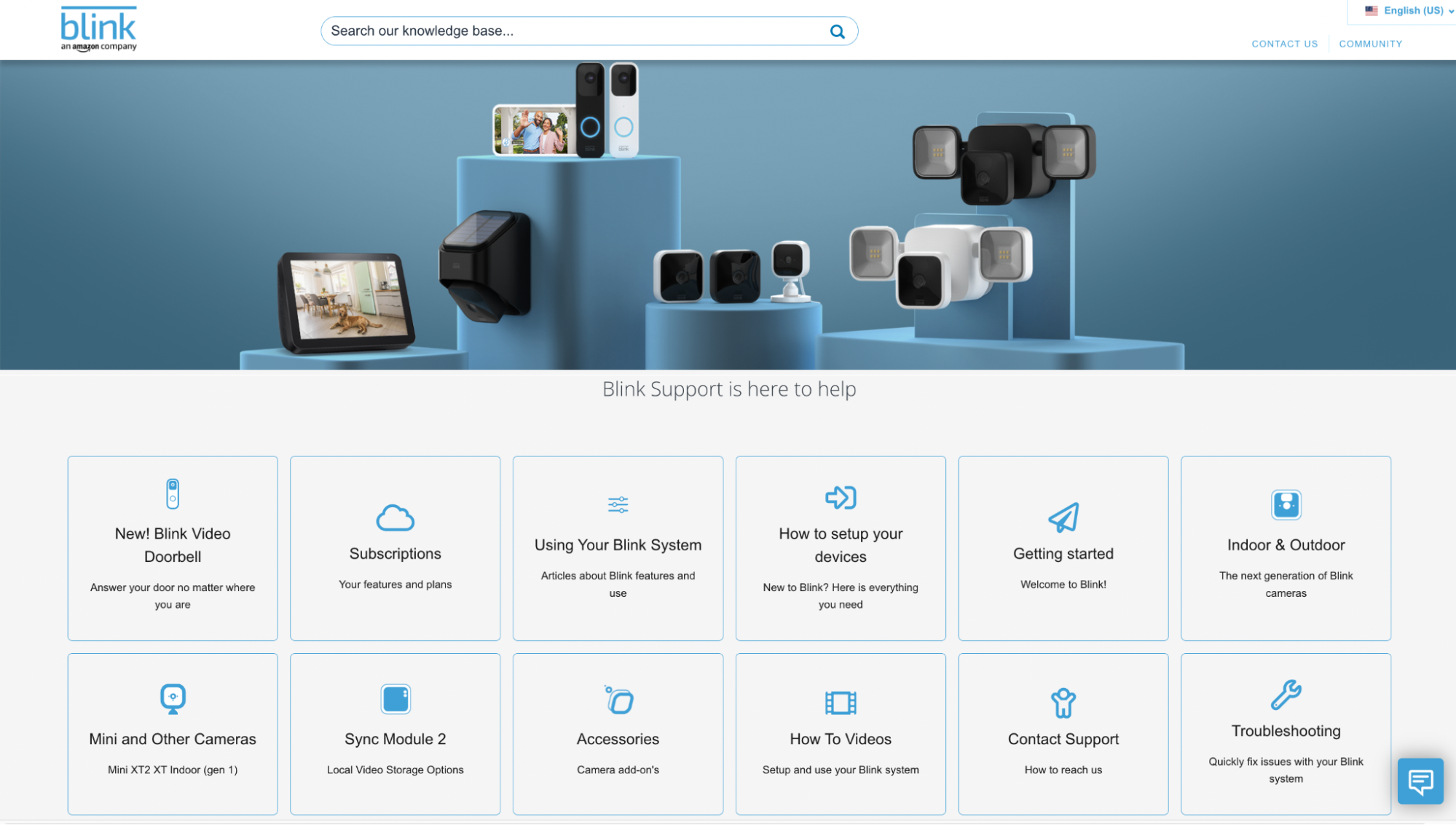
Helpjuice is a powerful knowledge base platform designed for both internal documentation and customer-facing knowledge bases, with a strong focus on analytics and customization. It allows you to easily create top-notch internal knowledge bases as well as customer-serving knowledge bases.
Features:
- Advanced analytics
- Instant, Google-like search
- Easy-to-use editor with WYSIWYG and markdown options
- Collaborative features, including a live commenting feature
- Integration with a range of tools like Salesforce, Zapier, Slack, and Microsoft Teams
- Localization/multiple languages
- Excellent customer support, hands-on user onboarding, and free expert customization
Pros
- Extremely powerful analytics
- High customization flexibility
- Excellent for both internal and customer-facing KB
Cons
- Higher pricing compared to competitors
- May be overkill for very small teams
2. Notion
Pricing: Free plan available, paid starts $8/user/month
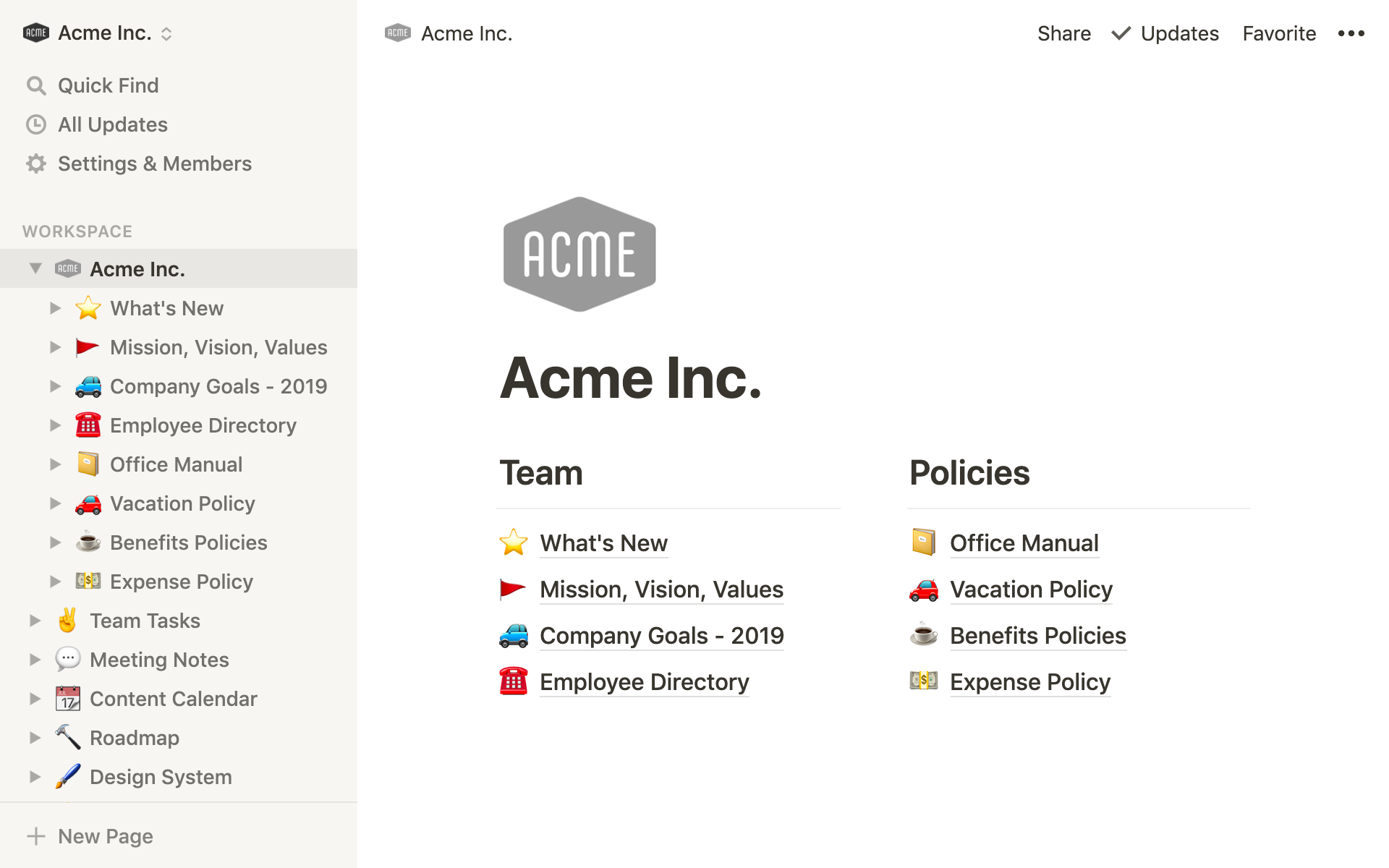
Notion is an all-in-one workspace that combines documentation, project management, and knowledge management in a flexible system.
It automatically organizes your content and prioritizes it based on importance, cases, and value. If you're looking for a knowledge base with more built-in features to help with creating customer-facing knowledge bases, then you'll want to consider a Notion alternative.
Key Features
- All-in-one workspace (docs, wiki, tasks)
- Drag-and-drop modular editor
- Databases and structured content
- Real-time collaboration
Pros
- Highly flexible and customizable
- Great for startups and small teams
- Combines multiple tools into one
Cons
- Can become messy at scale
- Limited advanced knowledge analytics
3. Confluence
Pricing: Free (up to 10 users), paid starts at $7.75/user/month
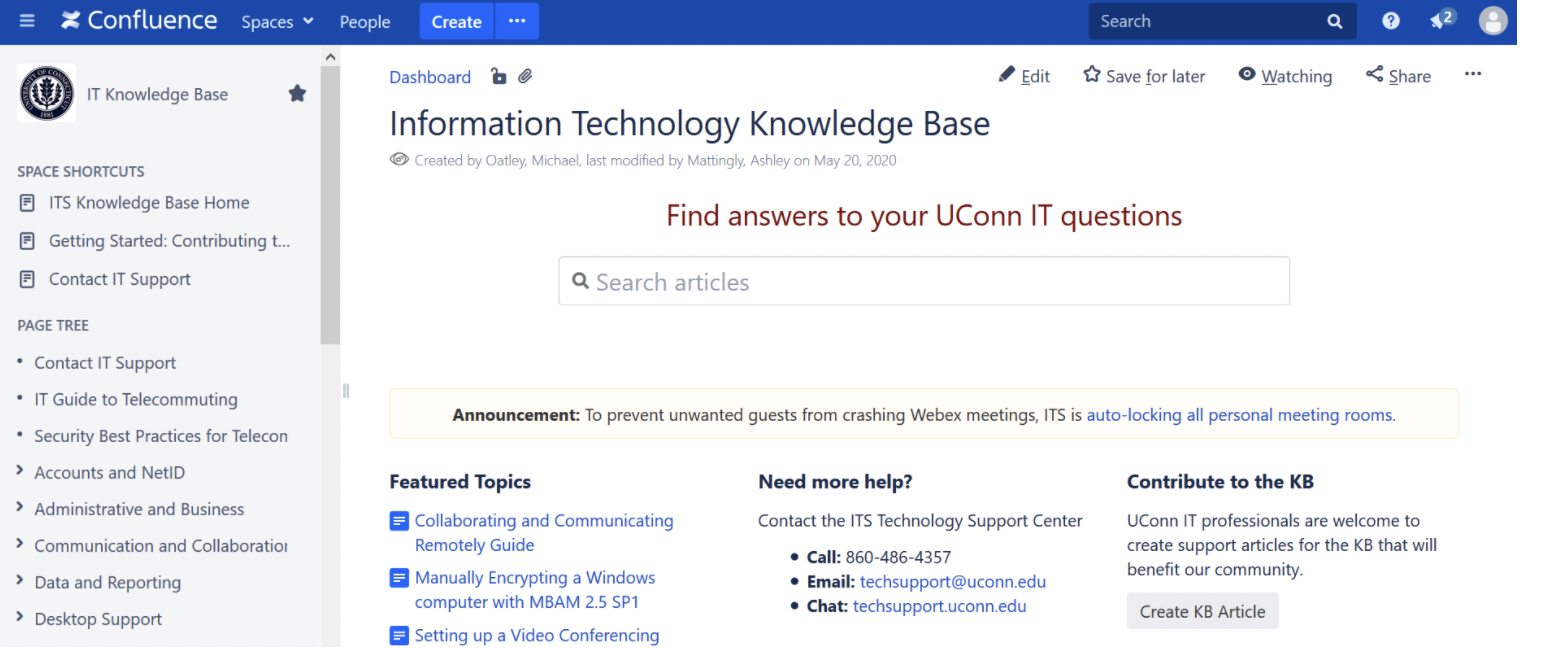
Confluence is a team collaboration and documentation tool widely used for managing shared knowledge across teams. It can be a good pick for teams using other Atlassian products, like Jira and Trello. It is a good option for businesses needing a knowledge base with project collaboration features.
Key Features
- Deep integration with Jira
- Team documentation and wiki system
- Templates and collaboration tools
- Permission and version control
Pros
- Excellent for product and engineering teams
- Strong collaboration features
- Scales well for growing teams
Cons
- Steep learning curve
- UI can feel cluttered
4. Guru
Pricing: Starts at $10/user/month
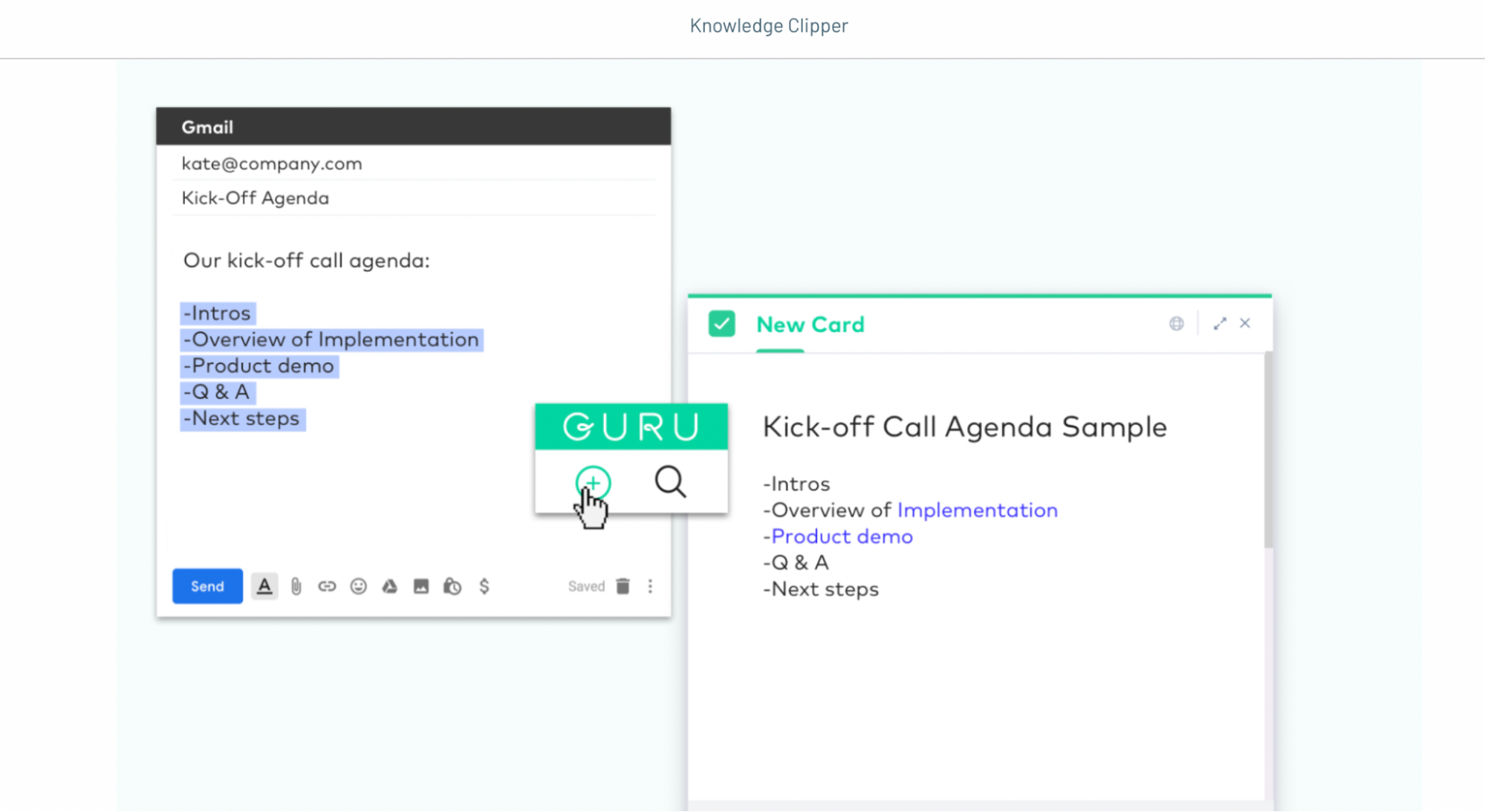
Guru delivers knowledge directly within workflows, helping teams access information without switching tools. It is a corporate wiki tool built mainly for SaaS and B2B tech companies. It comes with an intuitive and straightforward WYSIWYG editor for content creation and features for detecting duplicate content.
Key Features
- AI-powered knowledge suggestions
- Browser extension for workflows
- Verification workflows
- Slack and Chrome integrations
Pros
- Great for sales and support teams
- Knowledge delivered in real-time
- Easy to use
Cons
- Limited customization
- Can get expensive at scale
5. Microsoft SharePoint
Pricing: Starts at $5/user/month (Microsoft 365 plans)

SharePoint is an enterprise-level platform for document management, collaboration, and intranet solutions.
Key Features
- Document management and intranet
- Role-based access control
- Integration with the Microsoft ecosystem
- Workflow automation
Pros
- Enterprise-grade security
- Highly scalable
- Strong document management
Cons
- Complex setup
- Not very user-friendly for beginners
6. Slab (Best for Clean Documentation)
Pricing: Starts at $8/user/month

Slab is a lightweight knowledge management tool focused on simplicity and clean internal documentation.
Key Features:
- Clean writing interface
- Unified search
- Slack and GitHub integration
- Structured topics
Pros:
- Simple and easy to use
- Great UI/UX
- Strong internal documentation
Cons:
- Limited advanced features
- Not ideal for customer-facing KB
7. Bloomfire
Pricing: Custom pricing

Bloomfire is designed to improve knowledge sharing across teams with strong search and engagement features.
Key Features
- AI-powered search
- Content engagement tracking
- Centralized knowledge hub
- Collaboration tools
Pros
- Strong search and discovery
- Good for large teams
- Encourages knowledge sharing
Cons
- Expensive for small teams
- Limited customization
8. Zendesk Guide (Best for Customer Support)
Pricing: Starts at $19/agent/month

Zendesk Guide is a knowledge base tool designed to support customer service and self-service experiences.
Key Features:
- Help center and FAQ system
- AI-powered article suggestions
- Integration with Zendesk Suite
- Multilingual support
Pros:
- Excellent for support teams
- Strong automation features
- Improves self-service
Cons:
- Requires the Zendesk ecosystem
- Limited flexibility in outside support use
9. ProProfs Knowledge Base
Pricing: Free plan available, paid from $49/month

ProProfs Knowledge Base is an AI-powered knowledge base software solution built for customer support teams, SaaS companies, and internal operations. It offers a Word-like AI text editor that makes creating and updating content easy, while version control and collaborative workflows help teams maintain accuracy at scale. It also supports multilingual documentation, enabling companies to deliver consistent experiences globally.
Features:
- Customizable knowledge base templates
- AI-powered search and access
- Multi-language support
- Version control
Pros:
- Very easy to use
- Quick setup
- Good for small to mid-sized teams
Cons:
- Limited customization
- Fewer advanced integrations
Types of Knowledge Management Software
Knowledge management software comes in different forms, each designed to handle specific aspects of capturing, organizing, and sharing knowledge. The right solution often combines multiple types of tools to create a complete knowledge management system.
1. Knowledge Base Software
Knowledge base software is the core of most knowledge management systems. It allows organizations to create, organize, and share structured information such as FAQs, documentation, and internal processes.
These platforms are designed for fast search and easy access, enabling employees and customers to find accurate answers quickly. A well-built knowledge base improves self-service, reduces support workload, and ensures consistency across teams.
Some of the most popular knowledge base software tools include:
- Helpjuice: Advanced knowledge base software with powerful analytics and customization for internal and external use.
- Guru: AI-driven knowledge tool that delivers information directly within team workflows.
- Confluence: Team collaboration and documentation platform widely used by product and engineering teams.
- ProProfs Knowledge Base: Easy-to-use platform for creating customer support and internal knowledge bases.
2. Document Management Systems (DMS)
Document management systems focus on storing, organizing, and retrieving files such as policies, contracts, and technical documents.
They serve as centralized repositories for managing large volumes of structured and unstructured data. With features like version control, access permissions, and workflow automation, DMS tools ensure that documents remain secure, organized, and easy to locate.
Note: While DMS and EDMS are sometimes used interchangeably, an EDMS typically offers enhanced features to help manage document workflows.
Some of the most popular document management systems on the market are:
- ConcordNow: Contract-focused document management system for creating, managing, and signing agreements.
- M-Files: Metadata-driven DMS that improves document organization and workflow automation.
- eFileCabinet: Secure document storage solution with strong search and compliance features.
- Teamwork Spaces: Collaborative document and knowledge platform integrated with project management tools.
3. Learning Management Systems (LMS)
Learning management systems are used to create, manage, and deliver training programs within an organization.
They help teams store educational content such as courses, videos, and assessments while tracking employee progress. LMS platforms play a key role in onboarding, skill development, and continuous learning, making them an important part of knowledge management.
A high-quality LMS enables organizations to deliver the information held within these documents as efficiently as possible.
- Docebo: AI-powered LMS for delivering personalized learning experiences at scale.
- Travitor: Simple and flexible LMS for creating and tracking employee training programs.
- Thought Industries: Platform for building and monetizing customer and partner training programs.
- TalentLMS: User-friendly LMS designed for quick setup and efficient training delivery.
4. Collaboration Tools
Collaboration tools enable teams to create and share knowledge through communication and teamwork.
These platforms support real-time interaction through messaging, file sharing, knowledge sharing, and project coordination. They help capture tacit knowledge by allowing employees to exchange ideas, discuss solutions, and document insights that would otherwise remain undocumented.
Some of the most popular collaboration tools include:
- Slack: Real-time messaging platform that supports knowledge sharing through channels and integrations.
- Microsoft Teams: Collaboration hub combining chat, meetings, and file sharing within Microsoft 365.
- Samepage: All-in-one collaboration tool with chat, tasks, and document sharing features.
- Blink: Mobile-first communication platform designed for frontline and distributed teams.
5. Intranet Software
Intranet software provides a centralized internal network where employees can access company resources, updates, and knowledge.
It combines elements of knowledge bases, document storage, and communication tools into a single platform. Intranets improve internal communication and ensure that important information is easily accessible across the organization.
Here are some intranets that may also have search functionality and other features specifically designed for knowledge management.
- Microsoft SharePoint: An enterprise intranet platform for document management and team collaboration.
- Workvivo: Employee experience platform focused on communication, engagement, and knowledge sharing.
- Simpplr: AI-powered intranet designed to improve internal communication and information discovery.
- Guru: Can also function as an internal knowledge hub with intranet-style access to company knowledge.
Looking for something similar to Microsoft SharePoint? Check out our latest post for the top SharePoint alternatives for 2026.
6. Decision Support Systems (DSS)
Decision support systems help organizations analyze data and turn it into actionable insights.
These tools use data modeling, analytics, and visualization to support strategic decision-making. While they primarily focus on data, they play a crucial role in knowledge management by helping teams interpret information and make informed decisions.
The goal is to use data to identify the paths that will lead to the most growth for your business, be it financial growth, improved productivity, or otherwise.
Some of the most popular decision support systems include:
- Salesforce Analytics Cloud: Data analytics platform for generating insights from business and customer data.
- DirectorPoint: Board management and decision-making tool for executive teams.
- Riskturn: Simulation-based decision support tool for financial forecasting and risk analysis.
- Tableau: Data visualization platform for turning complex data into actionable insights.
7. Customer Relationship Management (CRM) Systems
CRM systems are not traditional knowledge management tools, but they play an important supporting role.
They store valuable customer data, interaction history, and behavioral insights. When integrated with knowledge management software, CRM systems help teams deliver more personalized and informed customer experiences.
Here are some of the best CRM tools available.
- HubSpot CRM: User-friendly CRM for managing customer data, sales pipelines, and marketing automation.
- Salesforce Sales Cloud: Enterprise CRM with advanced customization and automation capabilities.
- Pipedrive: Sales-focused CRM designed to manage pipelines and improve deal tracking.
- Zoho CRM: Affordable and scalable CRM solution for small to mid-sized businesses.
Key Features to Look For in Knowledge Management Software
The best knowledge management software should make it easy to capture, organize, and access information while supporting collaboration and scalability. Choosing the right features ensures your system is not only functional but also widely adopted across your organization.
- Powerful Search Functionality: Employees need to find the right information instantly without digging through multiple documents. Advanced search capabilities, including keyword recognition, filters, and AI-powered suggestions, significantly improve efficiency.
- Content Organization and Structure: A well-structured system ensures that knowledge is easy to categorize, store, and retrieve. Features like categories, tags, and hierarchical organization help maintain clarity and prevent information from becoming scattered or difficult to locate.
- Collaboration and Knowledge Sharing: The software should allow teams to contribute, edit, and share knowledge in real time. Features like commenting, version control, and shared workspaces help capture both explicit and tacit knowledge across the organization.
- Security and Access Control: Protecting sensitive information is essential. Knowledge management software should offer role-based permissions, secure access controls, and data protection features to ensure that only authorized users can view or edit specific content.
- Integrations with Existing Tools: The software should integrate seamlessly with your current tech stack, including CRM systems, communication tools, and project management platforms. Integrations reduce friction, streamline workflows, and allow teams to access knowledge within the tools they already use.
- Analytics and Reporting: Analytics provide insight into how knowledge is being used across your organization. Features such as search tracking, content performance metrics, and user engagement data help identify knowledge gaps and optimize your system over time.
- Scalability and Customization: As your organization grows, your knowledge management system should scale with it. Customization options allow you to tailor the platform to your workflows, branding, and specific business needs, ensuring long-term usability.
Selecting knowledge management software is not just about features but about how well those features support your team’s workflows. A system that is easy to use, searchable, collaborative, and scalable will deliver long-term value and drive better knowledge sharing across your organization.
Benefits of Using Knowledge Management Software
Knowledge management software improves how organizations capture, access, and use information, leading to faster decision-making, better collaboration, and increased operational efficiency. When implemented correctly, it becomes a central system that supports both employees and customers with accurate, up-to-date knowledge.
- Faster Access to Information: Employees can quickly find the information they need without searching across multiple tools. A centralized system reduces time spent looking for answers and ensures teams use accurate, up-to-date information.
- Improved Collaboration and Knowledge Sharing: Teams can easily share insights, document processes, and collaborate in real time. This ensures valuable knowledge is accessible across the organization.
- Increased Productivity and Efficiency: Less time spent searching for information allows employees to focus on meaningful work. This improves workflows and reduces duplication of effort.
- Better Decision-Making: Access to well-organized and reliable information enables faster and more confident decision-making across teams.
- Knowledge Retention and Reduced Dependency on Individuals: Critical knowledge is captured and stored, ensuring it remains accessible even when employees leave the organization.
- Improved Customer Support and Self-Service: Support teams can provide faster, more accurate responses while customers can find answers independently through self-service resources.
- Consistency Across Teams and Processes: A centralized system ensures all employees follow the same processes and deliver consistent information, reducing errors.
- Scalability and Organizational Growth: Knowledge management software supports business growth by maintaining structure, accessibility, and control over increasing information.
Furthermore, self-help resources can empower customers to find answers independently, reducing support response times and improving overall customer satisfaction. Knowledge-centered support practices can also help your organization identify and address recurring customer issues, ultimately enhancing the customer experience.
How to Choose the Right Knowledge Management Software
Choosing the right knowledge management software requires evaluating your organization’s needs, workflows, and long-term goals. A structured approach ensures you select a solution that improves efficiency and supports scalable growth.
Step 1: Identify Your Use Case
Start by defining how your organization will use the software. Some teams need internal documentation, while others require customer-facing knowledge bases or training systems. Understanding your primary use case helps narrow down the right tools.
Step 2: Assess Team Size and Complexity
The size of your team and the complexity of your operations play a key role in selecting the right platform. Small teams may benefit from flexible tools, while larger organizations require scalable systems with advanced permissions and workflows.
Step 3: Evaluate Search and Accessibility
Search functionality should be a top priority. The software must allow users to quickly find relevant information without navigating through multiple layers. Efficient access to knowledge directly impacts productivity.
Step 4: Review Collaboration Capabilities
Knowledge management is not just about storing information. It involves continuous sharing and updating. Choose a platform that enables real-time collaboration, content editing, and knowledge contributions from across your team.
Step 5: Check Integrations with Existing Tools
Your knowledge management software should integrate seamlessly with your current systems, such as CRM, communication tools, and project management platforms. This ensures smooth workflows and reduces friction.
Step 6: Analyze Security and Permissions
Ensure the platform offers role-based access control and data security features. This is especially important for organizations handling sensitive or confidential information.
Step 7: Consider Scalability and Customization
As your organization grows, your knowledge system should grow with it. Choose software that allows customization and can handle increasing volumes of content and users.
Step 8: Review Analytics and Reporting
Analytics help you understand how knowledge is used within your organization. Look for tools that provide insights into search behavior, content performance, and knowledge gaps.
Step 9: Test Before Committing
Whenever possible, use free trials or demos to evaluate usability and performance. Getting feedback from your team ensures the tool meets real-world needs before full adoption.
Using Helpjuice’s Knowledge Base for Knowledge Management
Helpjuice provides a centralized platform designed to simplify how organizations capture, organize, and share knowledge. It addresses common challenges such as scattered information, inefficient search, and lack of collaboration.
With Helpjuice, teams can create structured knowledge bases that are easy to navigate and maintain. Its advanced search functionality allows users to find relevant information instantly, reducing time spent searching and improving overall efficiency.
The platform also supports real-time collaboration, enabling teams to contribute, update, and refine knowledge continuously. This ensures that information remains accurate and aligned with current processes.
Helpjuice’s analytics and reporting features provide valuable insights into how knowledge is being used. Organizations can identify gaps, track performance, and optimize their knowledge base for better results.
By centralizing knowledge and making it easily accessible, Helpjuice helps organizations improve productivity, streamline workflows, and deliver consistent experiences across teams and customers.
For more information about how a knowledge base can help your organization, sign up for a free demo.
Final Thoughts
Knowledge management software is no longer optional for organizations that want to scale efficiently and maintain consistent access to information. It plays a central role in how teams capture knowledge, share insights, and make informed decisions.
The right tool does more than store information. It improves how knowledge flows across your organization, reduces inefficiencies, and empowers teams to work with clarity and confidence.
As your business grows, the ability to organize and access knowledge becomes a competitive advantage. By choosing a solution that aligns with your workflows, supports collaboration, and evolves with your needs, you create a foundation for long-term success.


![Examples of Knowledge Management Systems [2025]](https://static.helpjuice.com/helpjuice_production/uploads/upload/image/4752/direct/1665494843148-Knowledge%20Management%20Systems%20Examples.jpg)


